



SUPPORT


Is there a list of mobile devices that are compatible with Apache App?


Please see compatibility list for reference.
What are the requirements for the display devices?
Please see minimum requirements for reference.
Where can I find the Apache app version and information of the probe?
Tap menu in the app -> setting -> help & about
Follow the link to learn about help & about
Failed to register an account for Apache app.
Please ensure the emaill address used for registration is a valid account.
Failed to “add probe” several times.
Please make sure the probe has been turned on and Wi-Fi is connected when proceeding this step.
How can I resolve scanning image with lags?
1. Ensure the tablet meets the device compatibility and performance requirements.
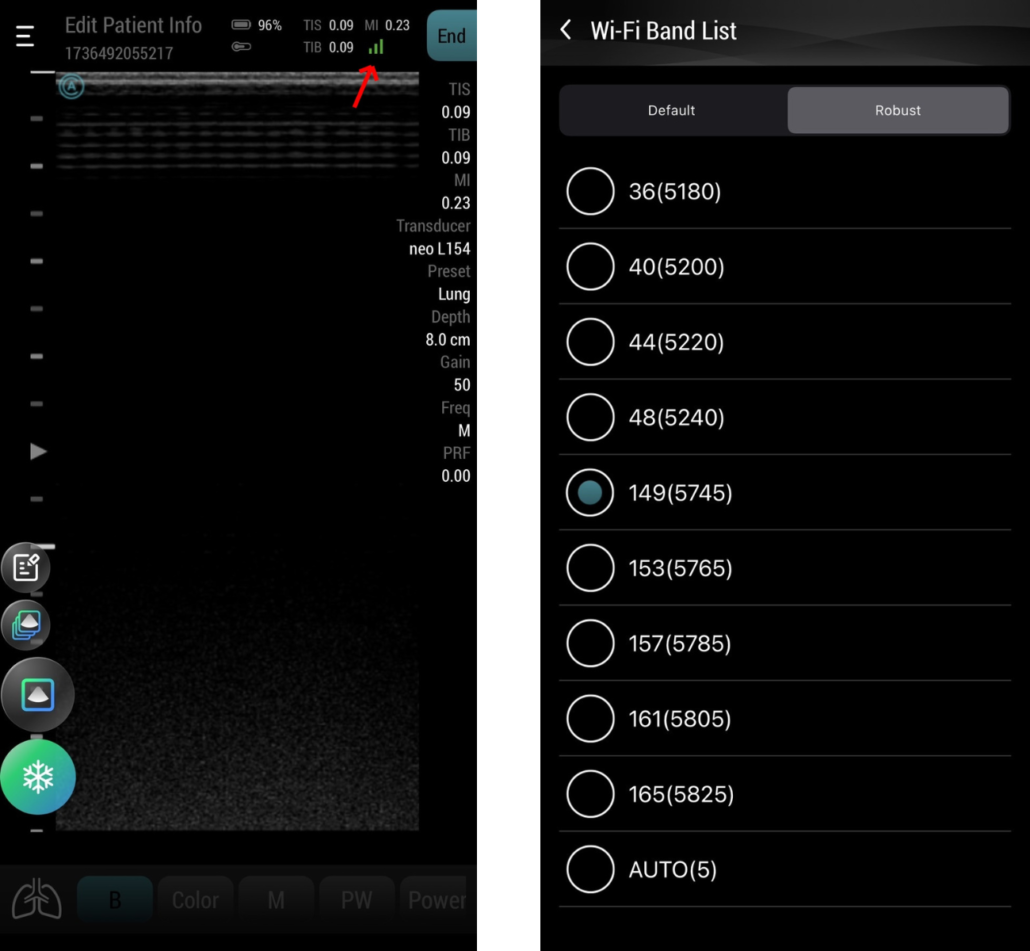
2. Consider moving the probe closer to the tablet or trying a different Wi-Fi channel.
2. Consider moving the probe closer to the tablet or trying a different Wi-Fi channel.
Can one probe be used by two accounts simultaneously?
The probe owner is the organization initially created by the owner.
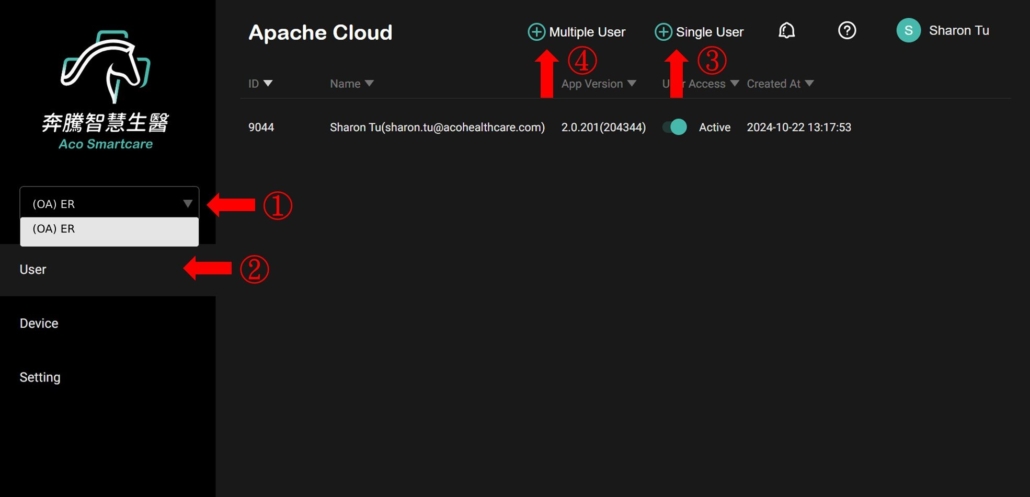
if another user needs to use the probe, the probe owner must invite them to join the organization via Apache Cloud.
if another user needs to use the probe, the probe owner must invite them to join the organization via Apache Cloud.
Please follow these steps:
1. Select the target organization.
2. Navigate to the “User” page.
3. To add a single user, enter the email information in the “Single User” section at the top.
4. To add multiple users, download the form in the “Multiple User” section at the top, fill it out, and upload it.
Do the headphones support voice control?
The Apache app supports earphone voice control, improving audio input issues and addressing distance limitations on tablets.